

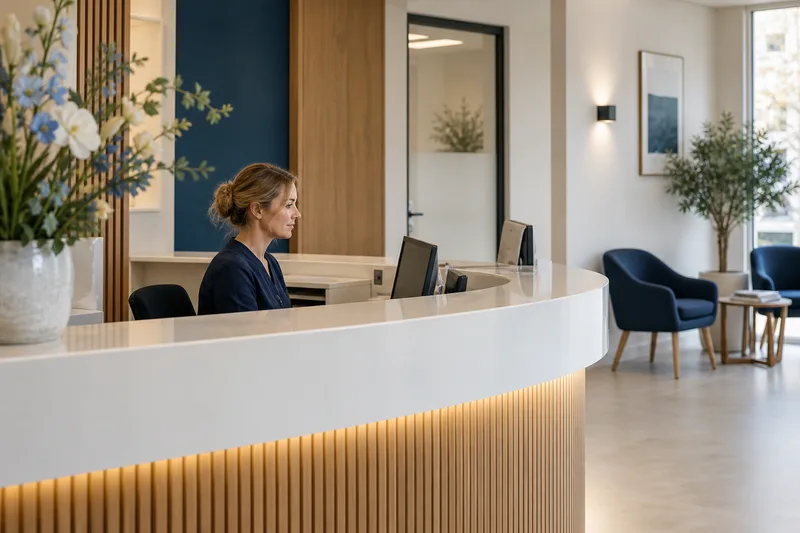






Dramatization · AI-generated · fictional scenario

WerkScan for Dutch SMEs

AI receptionist for Dutch SMEs tested before it goes live.

Available now: WerkScan and interactive browser demonstration · Live phone automation is available only in a controlled pilot after written scope, testing and acceptance.

Werkborg maps one customer-contact workflow: the questions AI may handle, the point where a person takes over, and the systems a controlled pilot would need.

  • Interactive browser demonstration
  • EU hosting approach documented per pilot
  • No live telephone line yet

Built for the lines that ring the most

Every sector below has a written example flow: what the agent may answer from, what it may never decide, and the colleague it hands the call to. Pick the one that looks like your phone.

Explore industries

Dramatization · AI-generated · fictional scenario

Speak to Werkborg
interactive browser demonstration

Talk to a Werkborg phone employee right here in your browser

Allow microphone access when your browser asks. The conversation runs only in this tab and is not recorded or shared. The agent answers in the language you pick and follows you if you switch mid-call.

Where a call goes — and where it stops

Six steps, written down with you before the agent takes a single call. The fifth one is why the other five can be trusted.

Design and evidence phase · the inbound leg is not live yet · no availability promise

  1. 01

    It rings on your own number

    Your number and your telephony provider stay exactly where they are. Werkborg is designed to sit behind them over SIP.

  2. 02

    It says what it is

    The first sentence of every call states that the caller is speaking to an AI assistant, not a colleague.

  3. 03

    The caller explains, in their own words

    No menu and no keypresses. The caller says why they rang and the agent works from that.

  4. 04

    It does the work it was given

    Checks what is free, writes the record, drafts the follow-up message — inside the systems you already run.

  5. 05

    It stops

    A price, a promise or a judgement it was never given: the agent says so and stops, instead of inventing a confident answer.

  6. 06

    A colleague takes it from there

    The call moves to a person with the reason, the details and the transcript already collected.

Three ways a business line can answer

Two of them are what most callers meet today. The third is what Werkborg is being built to be — and the difference is not the voice, it is what happens when the caller says something the line did not expect.

Common todayKeypress IVR menuCommon todayScripted voice botThe Werkborg wayAI phone employee
How the caller startsPresses numbers through a fixed treeSays one of a short list of intents it was trained onSays why they rang, in their own words
When the caller goes off-scriptLoops back to the menu, or waitsFails, and the caller starts againAsks what it still needs, confirms what it heard
What it takes to set upA menu tree, and a recording per branchA long, rigid configuration before launchA written call flow: what it may answer, what it may never decide
What happens after the callNothing — the caller was routed, not heardInbound routing only, no follow-up and no contextA summary, a record, and the follow-up message drafted

Three shifts, written out

Werkborg is pre-launch, so none of these is a customer. They are the worked examples we write with a business before the agent takes a call: the beats of one shift, and the line where the agent hands over.

Discuss your workflow

Healthcare & clinics Appointment booking

A clinic line at eight in the morning

Reception is still unlocking the doors. The line is already open, the caller wants a slot this week, and the agent works through the practitioners in order until it finds one.

  1. 08:00Line opens
  2. 08:01Caller asks for a slot this week
  3. 08:01Free time checked per practitioner
  4. 08:02Slot confirmed and read back
  5. 08:02Anything clinical goes to the nurse

Hear this in the demo

Technical services Emergency dispatch

A service line at twenty to eleven at night

The office closed six hours ago. The agent asks the three questions that decide whether this waits until morning, and pages the on-call engineer only when the answers say so.

  1. 22:40Fault described by the caller
  2. 22:41Triage questions asked in order
  3. 22:41Case logged with a summary
  4. 22:42On-call engineer paged
  5. 22:42Cost or liability goes to the duty manager
Hear this in the demo

Legal Lead qualification

An intake line at a quarter past eleven

A first-time caller with a case the firm may not be able to take. The agent captures the facts, runs the conflict check, and proposes a time with the partner who handles that work.

  1. 11:15Case type and parties captured
  2. 11:16Conflict of interest checked
  3. 11:17Enquiry qualified against the firm's own rules
  4. 11:18Intake call proposed with the right partner
  5. 11:18Any legal advice goes to the partner
Hear this in the demo

A conversation, not a menu.

The caller says why they rang. The agent asks what it still needs, confirms what it heard, and stops where it was told to stop.

Capabilities

A phone employee that listens, answers and acts

Speech, understanding and telephony orchestrated so a call feels like a conversation, not a query

  • Built to answer on the first ring

    Outside opening hours, during peaks and when the team is already on another call, the line is not left ringing.

  • Speaks your customer's language

    Dutch, English, German, French and more, chosen per caller or per number.

  • Knows when to listen

    Handles interruptions, pauses and thinking-out-loud without talking over the caller.

Werkborg Agent Studio: your call flow, your rules

WERKBORG / AGENT STUDIO

Your flow. Your knowledge. Your control.

Configurable call flows
Replies from your own content
Human handover
Visual illustration of a configured workflow

Configurable call flows

Build the conversation step by step — greeting, questions, conditions, escalation — with guardrails on what the agent may promise.

Illustrative workflow — pilot configuration is agreed separately.

Call flow builder
  1. Greeting
  2. Reason for calling
  3. Check calendar
  4. Confirm & summarise
Illustrative workflow

Actions during the call

Approve the actions and handover rules before a controlled pilot.

Illustrative workflow — pilot configuration is agreed separately.

Actions during the call
  1. Check calendar
  2. Prepare a request
  3. Human handover
Illustrative workflow

Replies from your own content

Choose the approved sources for each answer. Unknown questions go to a person.

Illustrative workflow — pilot configuration is agreed separately.

Knowledge sources
  1. Website content
  2. Price list
  3. Opening hours
  4. Procedures
Illustrative workflow
Capabilities

Werkborg Conversation Intelligence: know what happens on the line

Run the agent through your own scenarios — awkward callers, missing data, background noise — and see the outcome before a customer hears it.

Transcripts and summaries for all calls, so quality review covers the whole line instead of a hand-picked sample.

Group calls by reason, outcome, language and hand-off so you can act on the questions that keep coming back.

Built around the phone call

  • Inbound calls

    Planned for a controlled pilot after the number routing, disclosure, handover and acceptance tests are complete.

  • Outbound calls

    Reminders, confirmations and follow-ups placed on your behalf, with consent respected.

  • Follow-up messages

    The confirmation or the link goes out right after the call, so nothing depends on anyone remembering.

  • API & webhooks

    Trigger calls and receive structured results in the systems your team already uses.

Capabilities

Werkborg Phone Infrastructure: your numbers, your network

Callers keep dialling the number on your door and your invoices; Werkborg answers behind it.

Werkborg is designed to sit alongside your existing telephony provider over SIP, so nothing has to be replaced first.

Route calls to Werkborg only when the team is busy, closed or on the road — or let it take the whole line.

Define exactly when a call goes to a person: urgency, subject, caller request or a failed answer.

Privacy and control for European businesses

Werkborg is being built for Dutch and European organisations: data minimisation by default, clear retention settings and a written record of what the agent did on every call.

  • GDPR by design

    Only the data your call flow needs is collected, with a documented purpose per field. Formal certifications are not claimed until they are audited.

  • Access control

    Named accounts per colleague, with roles that decide who can hear recordings and who can change a flow.

  • Redaction

    Mask personal details in transcripts and summaries, per field, so support staff see only what they need.

  • Retention you choose

    Decide how long audio, transcripts and summaries are kept, and have them deleted automatically afterwards.

  • Consent and disclosure

    The agent states that it is an AI assistant and asks for consent where recording requires it.

  • Guided onboarding

    We map your call flow with you, test it against your own scenarios and stay involved after the first live shift.

  • EU hosting target

    Werkborg is designed to run on European infrastructure; the current hosting region is documented per deployment.

Connect the systems you already run

Werkborg is built to work through the APIs and webhooks your calendar, CRM and telephony already expose.

No connection is listed here as live. Which ones are in place is confirmed per deployment, in writing, before the agent uses them.

Discuss your stack
  • CalendarsRead free time, create and move appointments
  • CRM & sales toolsWrite the enquiry and its fields to the record
  • Helpdesk & ticketingOpen a ticket with the summary attached
  • Telephony & SIPSit behind your current provider and number
  • Automation & webhooksPost the call result into your own flows
  • MessagingSend the confirmation or link after the call
  • Custom APITrigger a call and receive a structured result
FAQ

Frequently asked questions

Start with one controlled customer-contact workflow

Use the interactive browser demonstration, then start a WerkScan. We map what AI may answer, what it must never decide and the person responsible for every handover.